A fly-through video of your bike ride
Strava shows a line on a map. ToonRoute shows the ride: the climb out of the valley, the descent to the coast, the café halfway. It turns the GPX or FIT file from your computer or watch into a short cartoon film of the whole route.
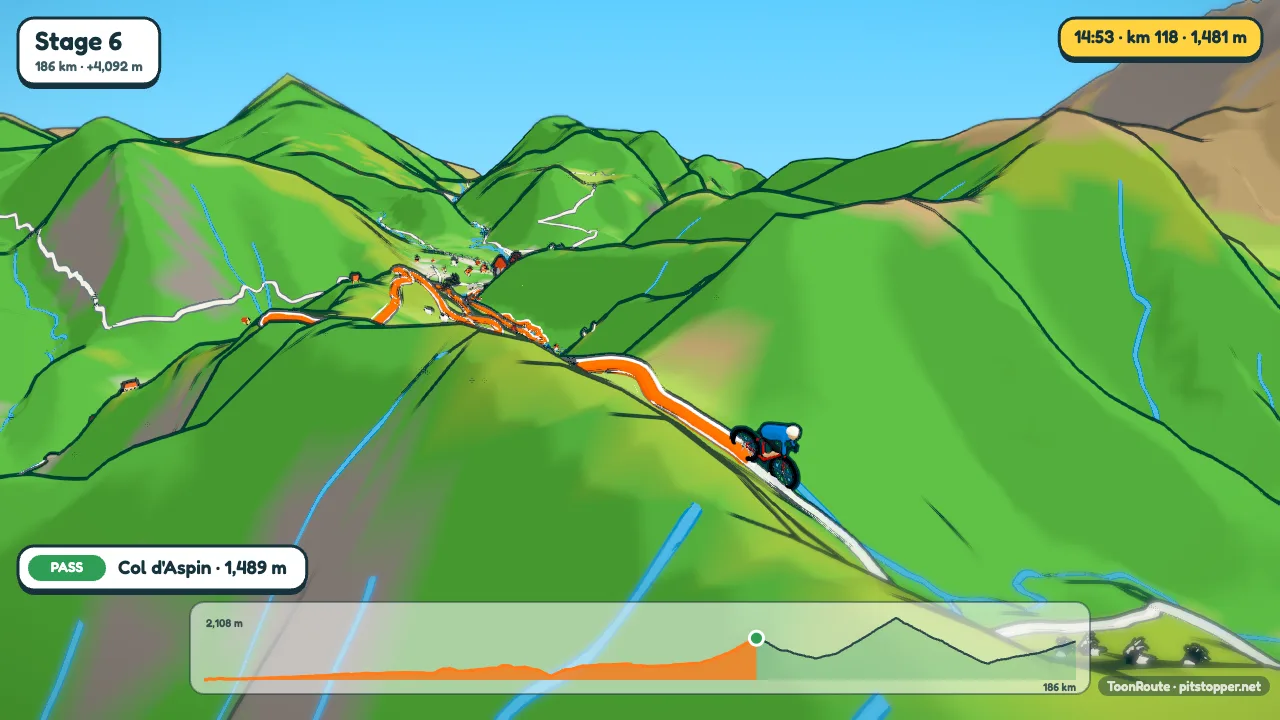
Below is the Tour de France 2026 stage 6, Pau to Gavarnie-Gèdre, made from the stage's GPX. 186 km and 4,092 m of climbing, filmed by the Auto camera with nothing set by hand.
What a ride video shows
The world is built from the real terrain and map along your route, so the cols look like cols. Hills are drawn twice their real height to begin with, as the true height looks flat from above; set them true to life if you would rather.
Every climb gets a banner as you reach it, with its length, average gradient and height gained, something like 8 km at 9%, +732 m. About 1,200 well-known climbs are named when your route goes up one: the Tourmalet, Mont Ventoux, the Bealach na Bà. The Auto camera films climbs from the side, where you can see the slope, and goes high above the twisty sections.
A readout in the corner gives the time of day, the distance, the height and the speed. The chart along the bottom fills in as the ride goes on, with a dot for each stop.
Step by step
- Export the ride as GPX or FIT from Strava, Garmin Connect, Wahoo or wherever you keep it.
- Open ToonRoute and choose Use my route file. The world builds in your browser, then the preview starts.
- Set the bike and kit colours in Character. Speed set to Average speed, slower up hills is the default; choose As recorded to use your own pace from the file.
- Turn on the ride's clock in Landscape if the file has times, and the light follows your day from the first pedal stroke. Use the day's weather sets rain or cloud if that is what you had.
- Check the stops. Waypoints in your file become signposts. Add the café you stopped at, or take out a petrol station nobody cares about.
- Make the video at 720p, 1080p or 4K, wide or tall. Download it from the page when it is done, or have the link emailed.
Tips from making a few
- Plan the ride in PitStopper and export the GPX with its stops: the cafés, water and shops come through as signs of the right colour.
- For a sportive or an audax, the stops can make a long video. Turn off Pause at stops in Track and they still show as signs, without the wait.
- A big Alpine day looks best with Hills on true to life. The Alps do not need the help.
- Want to choose the shots? The Video editor starts from Auto's own clips, so you only change the ones you do not like. Watch the two-minute guide.
Questions
How long will the video be?
On Auto, about 1.6 seconds for each kilometre: a 60 km ride is about a minute and a half, and the 186 km stage above is about five minutes of riding. The shortest is a minute and the longest six. Stops add a few seconds each. You can also choose a length yourself.
Can it show my power or heart rate?
No. The readout shows the time, distance, height and speed. ToonRoute is about the route rather than the numbers from your sensors.
Does it work for a multi-day tour?
Yes. Load the tour with one track a day, or with the overnight stops left in, and choose Whole tour in the Days list: one video of 2 to 10 days, with an opening card, a chapter card for each day and each day's ride. Or make one video for each day; saved settings let every day use the same look.
Can I ride something other than a bike?
Yes. The same route works with a walker, a car, a plane or a dinosaur. Change it in Character and the speeds change with it.
Use my route file Create a route
Other guides
- Turn a GPX file into a video
- A video of your hike or walk
- A running route video
- Tall videos for Reels and TikTok
- A flight path animation
- A route video for your event
- A cartoon video of your road trip
- A Tour de France stage as a cartoon
- A fly-through of a famous climb
- From a Strava activity to a video
- ToonRoute and Relive compared
- Everything ToonRoute does