Tall route videos for Reels, TikTok and Shorts
A wide video on a phone is a thin strip with black bars above and below. ToonRoute makes 9:16 videos as well, framed for the tall screen from the start, so the character and the road fill the picture.
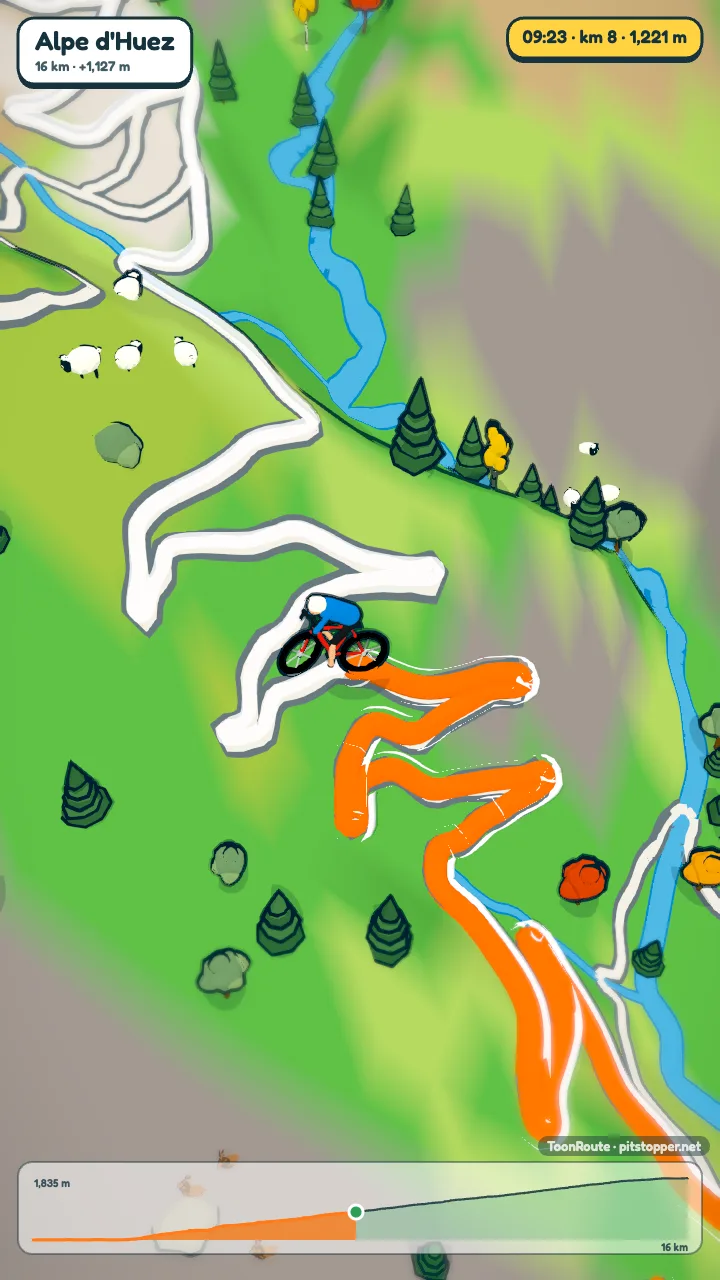
How it is different from cropping
Cropping a wide video cuts the sides off: the signpost on the left, the sea on the right. In ToonRoute the shape is a setting, and the preview itself turns tall when you choose it. The camera frames each shot for the tall picture, and the title, readout, climb banners and chart are laid out for it, sized from the short side so they stay readable on a phone.
Sizes are the wide ones stood on end: 720 x 1280, 1080 x 1920 or 2160 x 3840 for 4K.
Step by step
- Load your route with Use my route file, or plan one on the map.
- Open Video and choose Portrait 9:16. The preview turns tall straight away, so do this first and set everything else while looking at the right shape.
- Pick a short length in Video, under Length. 45 seconds or a minute suits a feed better than six.
- Choose your shots. Follow and side-on fill a tall frame well; the wide overview has more sky in it.
- Make the video at 1080p, which is what most apps show, or 4K.
Tips
- Keep the title short. On a tall screen a long one wraps, and the first second is when people decide to keep watching.
- Want a wide and a tall version? They are two videos. Make one, change the shape, and make the other; every other setting stays.
- Turn off the music if you plan to add a sound from the app you post with.
- The opening from space is a good first few seconds in a feed: it starts on the whole planet and drops onto your route.
Questions
Which sizes can I make?
720p, 1080p and 4K, in 16:9 or 9:16. Tall, those are 720 x 1280, 1080 x 1920 and 2160 x 3840.
How long can a tall video be?
From 45 seconds to six minutes, the same as a wide one. YouTube Shorts takes up to three minutes; for Reels and TikTok, shorter tends to do better.
Is there a watermark?
A small one: a ToonRoute · pitstopper.net mark in the corner, sized for a phone screen. The opening and closing cards also say where the video was made, and the OpenStreetMap credit shows in the first and last seconds, as the map licence asks.
Can I use the music on Instagram or TikTok?
The four tracks are royalty-free music. If you would rather use a sound from the app itself, make the video with the sound off and add it there.
Use my route file Create a route
Other guides
- Turn a GPX file into a video
- A fly-through of your bike ride
- A video of your hike or walk
- A running route video
- A flight path animation
- A route video for your event
- A cartoon video of your road trip
- A Tour de France stage as a cartoon
- A fly-through of a famous climb
- From a Strava activity to a video
- ToonRoute and Relive compared
- Everything ToonRoute does