A cartoon video of your road trip
A road trip is a lot of driving that blurs together afterwards. A ToonRoute video puts it back in order: the coast road, the pass, the town where you stopped for fuel and an ice cream, with a little cartoon car going all the way round.
It works from the GPX file of the drive, or from a route you plan on the map in the app before you go.
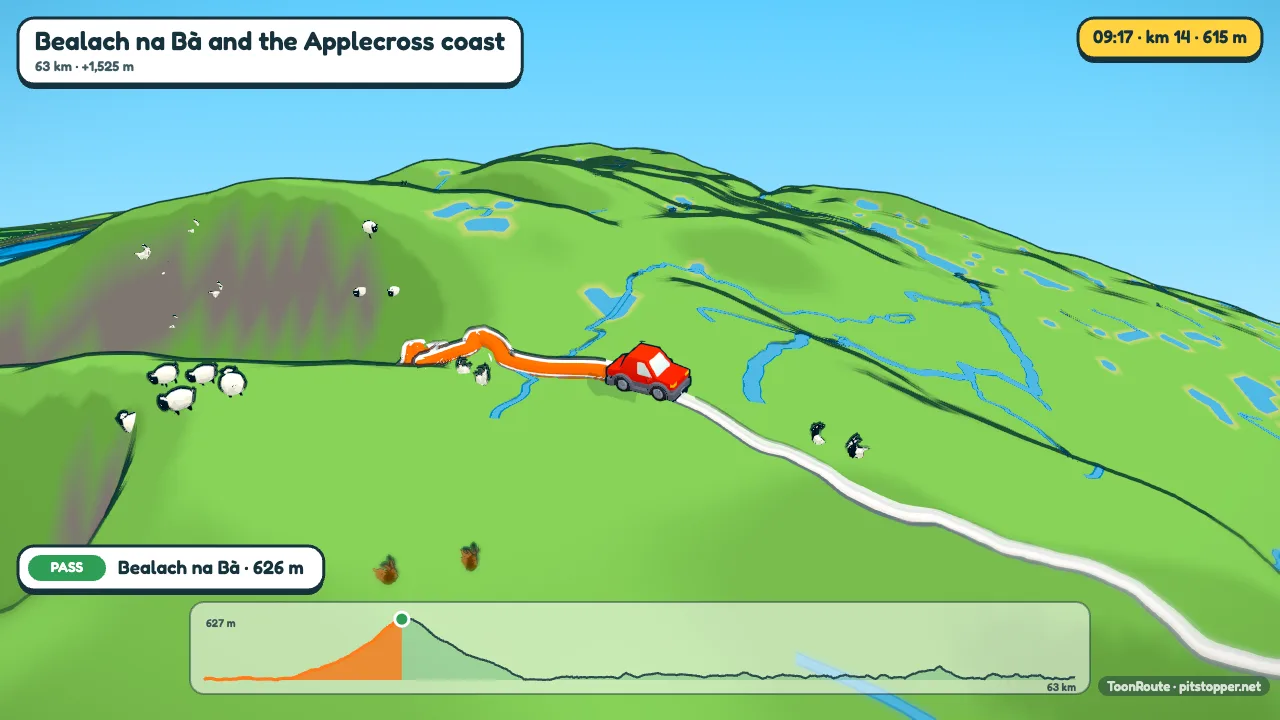
The car
Pick Car in Character, then a model: a saloon, a hot hatch, an SUV or a van, in the colour you choose. It drives on the road line of your route, through a world built from the real terrain and map: the roads you took, the rivers, the woods, the towns, the coast.
Its speed comes from the Speed setting. With the default, an average speed that is slower up hills, the car goes at about 50 km/h and eases off on the steep bits; set the average to what you really drove and the clock on screen follows it. If your file has times, As recorded uses them, and long stops are kept short so the video does not stand still.
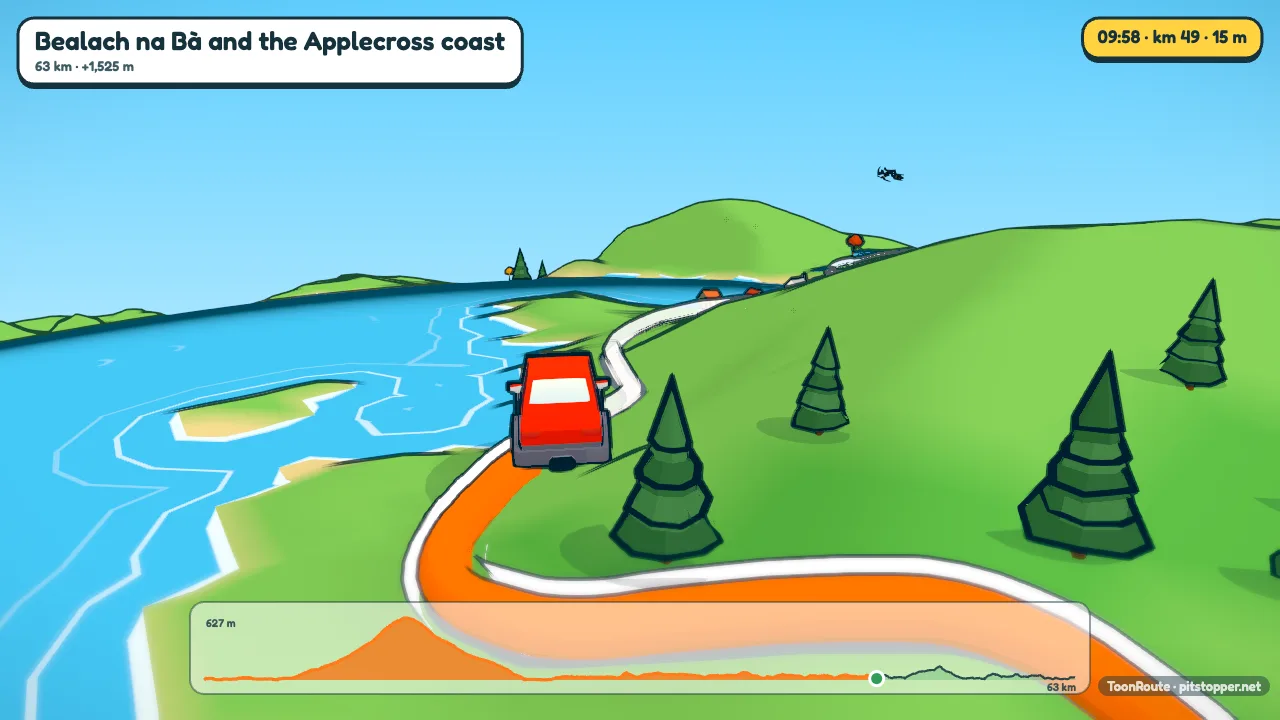
Getting the route
- A drive you recorded: export it as GPX or FIT from the app or tracker you used. A phone's tracking app is fine.
- A drive you planned: export the GPX from the planner. A route planned in PitStopper can carry its fuel stations, cafés and campsites with it.
- No file: draw it from memory. Create a route, set Go by to Car, and click the map where you set off, where you ended up and the towns you passed through, or search for them by name. ToonRoute finds roads a car can use between your points. It may not pick exactly the roads you drove, but it is usually close, and dragging a point onto the road you took puts it right.
Fuel stops and other stops
Waypoints in the file stand by the road as signposts, and the car slows for each one and stops for a few seconds while its name comes up. A waypoint named or described as fuel or petrol is a yellow Fuel sign; cafés, shops, toilets and campsites get their own colours too.
To add one by hand, pause the preview where the car is at the spot and press Add sign post in Track, then name it and give it a type in Manage sign posts. For a long day with ten fuel and coffee stops, turn off Pause at stops in Track: the signs stay, and the car drives past them without waiting.
Long routes and the length
Leave Length in Video on Auto and the video gives about 1.6 seconds to each kilometre, never less than a minute and never more than six. So a 60 km coast road is about a minute and a half, 150 km is four minutes, and from about 225 km the drive itself is held at six minutes and the car just covers ground faster. Stops add their pause on top. If six minutes is more than anyone will watch, pick a set length: 45 seconds, 1, 1½, 2½ or 4 minutes.
Each day has to fit in an area about 200 km across. A trip of up to 10 days can be one video: give the file one track a day, or leave the overnight stops in, and choose Whole tour in the Days list for an opening card, a chapter card for each day and each day's drive. A two-week trip is best as one video a day: download the settings from the first so every day looks the same.
Tips
- Turn on the Route map in the on-screen settings for a small outline of the whole trip in the corner, drawn as you go.
- On Auto, the camera goes high over twisty roads, so a pass with hairpins looks like one. Passes, peaks and towns get a caption as you reach them.
- If the file has times, the Ride's clock look lights the world by the time of day, so the drive that started at dawn starts in dawn light. Use the day's weather sets the rain you drove through.
- From space, in Video, opens on a cartoon planet and drops down onto the start. It suits a trip abroad.
Questions
Is there a campervan?
Not yet. The car comes as a saloon, a hot hatch, an SUV or a van, in any colour. The van is the nearest thing to a camper.
How long a drive can it do?
The route has to fit in an area about 200 km across, east to west and north to south. Within that it can be as long as you like: a loop of 300 km round a region is fine. A trip of several days can be one video in chapters, with Whole tour in the Days list, or one video a day.
How long will the video be?
On Auto, about 1.6 seconds for each kilometre, at least one minute and at most six, plus a few seconds at each stop. A 100 km drive is about 2 minutes 40, and anything over about 225 km comes out at six minutes, with the car going faster to fit.
Can it show miles?
Yes. Set Units to Imperial in the on-screen settings, and the distance, heights and speed are in miles, feet and mph.
Is it free?
During the beta, yes: one at a time and up to six a day, at any size. After the beta a video will cost a small amount. The pricing page has the details.
Use my route file Create a route
Other guides
- Turn a GPX file into a video
- A fly-through of your bike ride
- A video of your hike or walk
- A running route video
- Tall videos for Reels and TikTok
- A flight path animation
- A route video for your event
- A Tour de France stage as a cartoon
- A fly-through of a famous climb
- From a Strava activity to a video
- ToonRoute and Relive compared
- Everything ToonRoute does